Download Twitter/X Videos 2026: Full Guide
Want to download this video right now?
Updated: March 2026
Look, if you’re trying to figure out how to grab a video from X (Twitter), you’ve probably noticed it’s a bit of a moving target. You’re in the right place. I’ve spent time testing every major method and tool available in 2026 so you don’t have to waste your afternoon on sites that don’t actually work. I’ll show you exactly what’s reliable, what’s safe, and what you should probably avoid.
The online video world moves fast. Tools that were great six months ago are often broken now, and new ones pop up every week. I re-test these options regularly to make sure this guide stays current and actually helps you get the file you need.
Quick Answer: The Fastest Method
Honestly, if you’re in a hurry, here’s the play: BestVideoDownloader.net handles Twitter/X video downloading with zero hassle. You just paste the URL, pick your format, and hit download. It’s free, requires no software, and works on pretty much every device. But if you want to see all the options—including the pros, cons, and weird edge cases—keep reading.
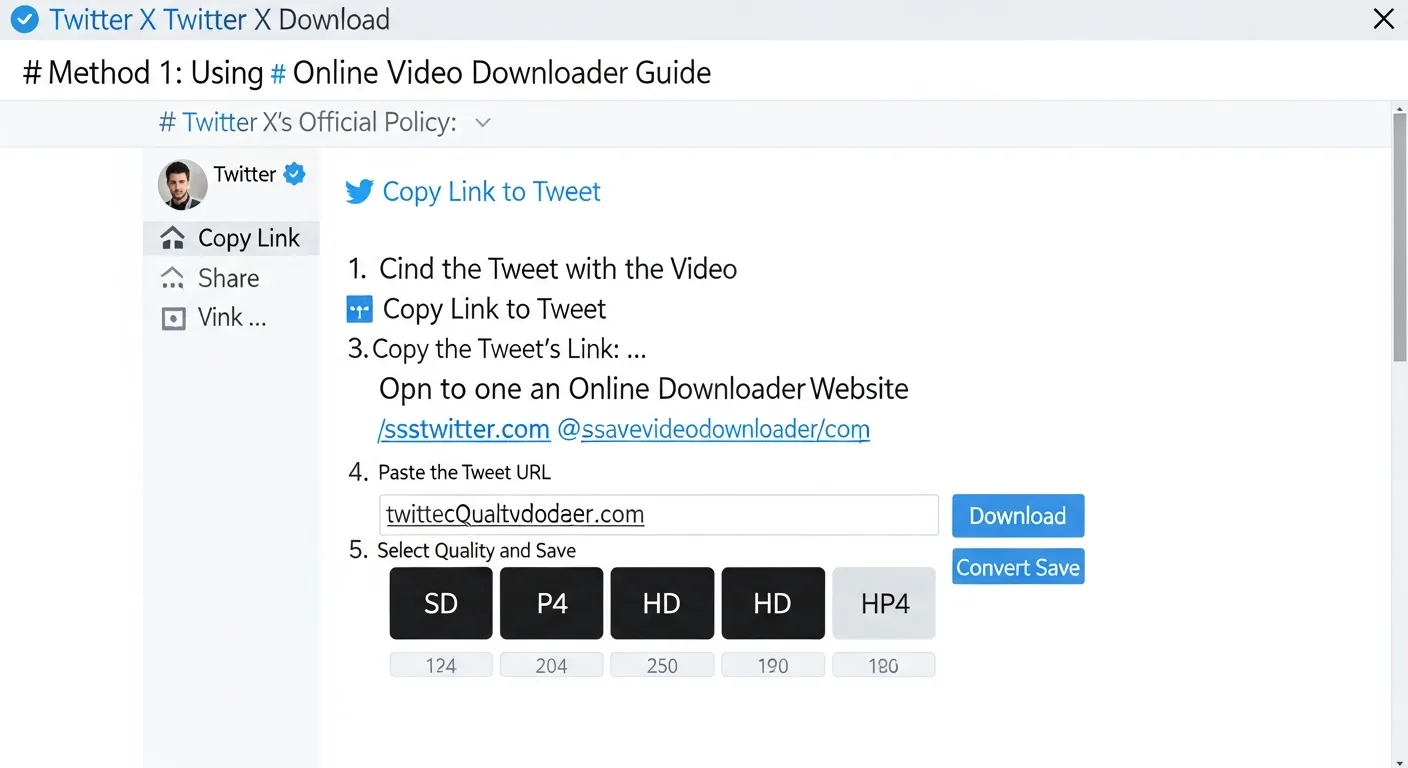
Method 1: Online Video Downloaders (Browser-Based)
In my experience, online tools are the most accessible choice. Why? Because you don’t have to install anything, and they work on any device with a browser.
How it works:
- Copy the video URL from the source platform.
- Paste it into an online downloader like BestVideoDownloader.net.
- Select your format (MP4, MP3, WebM) and the quality you want (up to 4K).
- Click download—the file saves right to your device.
Pros:
- No installation needed—it works in any browser you use.
- Cross-platform: Windows, Mac, Linux, iOS, Android. It doesn’t matter.
- Usually free and you don’t need an account.
- Plus, BestVideoDownloader.net supports 45+ platforms in one spot.
Cons:
- You obviously need an internet connection.
- A lot of free tools are buried in annoying ads—BestVideoDownloader.net is a rare exception here.
- Some sites struggle with reliability when platforms update their code.
Method 2: Desktop Software
Desktop apps offer more “under the hood” features, but you’ll have to install them. Here’s what’s actually worth using in 2026:
- 4K Video Downloader — A popular choice that handles YouTube playlists well. The free version has limits (30 downloads a day), while the paid version is a $15 one-time fee.
- yt-dlp — This is an open-source command-line tool. It’s the most powerful option for tech-savvy users and supports over 1,000 sites. Best of all? It’s completely free.
- JDownloader — An open-source download manager. It works, but the interface is honestly pretty cluttered.
Desktop tools are great if you’re downloading constantly or need to process a huge batch of files. Otherwise, they’re probably overkill. For most of us, a browser-based tool like BestVideoDownloader.net is just faster and way more convenient.
Method 3: Browser Extensions
Extensions put a download button right on the video page. It’s convenient, but there are some caveats you should know about:
- Video DownloadHelper — Works on Firefox and Chrome. It’s reliable for most sites, though the free version sometimes limits quality.
- SaveFrom.net Helper — Popular, but browsers occasionally flag it for security concerns.
Warning: You need to be extremely careful with video downloader extensions. Many are just data-harvesting malware disguised as something useful. Only install from official stores, and check the reviews and permissions. Also, extensions tend to break the moment a platform updates its site.
Method 4: Mobile Apps
If you’re trying to download on your phone:
- iPhone/iPad: Just use BestVideoDownloader.net in Safari. Your downloads save directly to the Files app on iOS 13+. You really don’t need a separate app.
- Android: The browser approach works perfectly here too. You could use apps like Snaptube, but you’ll have to download them from the official site since Google usually removes video downloaders from the Play Store.
I find that browser-based tools are actually the safest bet on mobile. Most “downloader” apps on the app stores get pulled for policy violations, and third-party APKs can be a security nightmare.
Comparison Table: All Methods at a Glance
| Method | Best For | Max Quality | Cost | Safety | Convenience |
|---|---|---|---|---|---|
| BestVideoDownloader.net | Everyone | 4K | Free | High | Highest |
| Desktop Software | Power users | 4K+ | Free-$15 | Medium | Medium |
| Browser Extensions | Frequent users | 1080p | Free | Low-Medium | High |
| Mobile Apps | Phone users | 1080p | Free | Low | Medium |
| yt-dlp (CLI) | Developers | 8K | Free | High | Low |
Safety & Legal Considerations
Before you start clicking, let’s talk about what you need to know regarding safety and the law.
Is it legal?
Generally, downloading videos for your own personal, offline viewing falls under fair use in most places. This includes things like:
- Saving a tutorial for personal study.
- Archiving public content you want to reference later.
- Backing up your own content.
What’s NOT okay:
- Re-uploading someone else’s copyrighted work.
- Selling or distributing downloaded videos.
- Trying to bypass DRM on paid streaming services.
Is it safe?
You need to use tools that are:
- Browser-based (so you aren’t installing anything on your system).
- Established (like BestVideoDownloader.net, which has millions of users).
- HTTPS encrypted.
- Not asking for your login — never, ever give your YouTube or Instagram password to a third-party tool.
Platform-Specific Tips
YouTube
YouTube has the most quality options, from 360p all the way to 4K. Use the Share button URL to get the cleanest link. Also, you can extract YouTube Music videos as MP3s. Download YouTube videos here.
TikTok
The big headache with TikTok is the watermark. BestVideoDownloader.net handles that and strips it away automatically. Just copy the link from the app’s Share button. Download TikTok videos here.
Reels, posts, IGTV, and public Stories are all fair game. Worth mentioning: if it’s a carousel post with multiple photos, you’ll need to download each slide individually. Download Instagram content here.
Twitter/X
Both twitter.com and x.com links work fine. What I find interesting is that Twitter converts GIFs to video, so they’ll be delivered as MP4s. Download Twitter videos here.
Frequently Asked Questions
What’s the best free video downloader in 2026?
For most people, it’s BestVideoDownloader.net. It hits the sweet spot of platform support, quality, and safety without needing an install. If you’re a power user who needs to download hundreds of videos at once, yt-dlp is the best open-source path. For more information, check out online video converter.
Can I download videos on my iPhone?
Yes, you can. Use Safari to open BestVideoDownloader.net, paste your link, and download it. Since iOS 13, those files save right into your Files app. It’s much simpler than it used to be.
Is there a way to download in 4K?
Sure—as long as the original video was uploaded in 4K. BestVideoDownloader.net supports 4K from YouTube, Vimeo, and others. If the uploader only used 1080p, that’s the max you’ll get.
Are video downloaders safe?
The reputable browser-based ones like BestVideoDownloader.net are safe. You aren’t installing software, your connection is encrypted, and no one is asking for your passwords. The danger usually lives in random desktop software or sketchy extensions that might hide malware.
Can I download videos from Netflix, Disney+, or other streaming services?
No. Those paid services use DRM (Digital Rights Management) to lock things down. Third-party tools can’t get past that encryption. Use the official “offline” feature inside their apps instead.
What format should I choose?
MP4 is the universal standard—it works on everything. Use MP3 if you only want the audio, and WebM if you need a lighter file for a website. If you aren’t sure, just stick with MP4.
Bottom line: Ready to grab that video? Head over to BestVideoDownloader.net, paste your URL, and you’ll have it saved in seconds. It’s fast, free, and it actually works.